

Astra Straps editorial team. Last reviewed 14 August 2026.
If you've searched how to change Fitbit Charge 6 band without breaking the clip, here's the short version, then the detail. The swap is easy. What trips people up is rushing the little latch underneath and forcing the band before it releases.
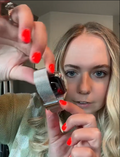
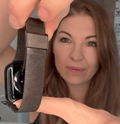
Quick answer: Turn your Fitbit Charge 6 face down, press the flat latch button toward the band with your fingernail, then gently pull the band away. To fit a new one, line up the connector and press it in until you hear a click. No tools, under a minute for both bands.
Pull before the latch releases, though, and you strain the connector, which is what leaves a band loose later.

How Does the Fitbit Charge 6 Band Latch Work?
Each band has a flat, textured release button on its connector. Press it toward the band with a fingernail and the band releases. The two pieces come off separately.
Flip the tracker over. Where each band meets the tracker body sits a small rectangular button, flush against the connector. That's the latch, and its surface is rougher than the plastic around it so your nail catches instead of skidding.
The motion is toward the band, not down toward the screen. Push down and nothing happens, so it's easy to assume the band is stuck and yank it. Press toward the band and you'll feel a little give as the latch lets go.
Google's support documentation (support.google.com) describes the same steps: turn the tracker over, find the latch, press the flat button, then gently pull the band away.
Which Fitbit Bands Are Compatible With the Charge 6?
Charge 6 and Charge 5 bands are interchangeable. Bands for the Charge 4, Inspire, Luxe, Versa, or Sense won't fit.
Google lists its official Charge 6 and Charge 5 bands as compatible with both trackers, and sells the sport band as one product covering the two. So a spare Charge 5 band should work fine.
|
Fitbit model |
Fits the Charge 6? |
|
Charge 5 |
Yes |
|
Charge 4 and Charge 3 |
No, not compatible with Charge 6 |
|
Inspire 2 and Inspire 3 |
No, not compatible with Charge 6 |
|
Luxe |
No, not compatible with Charge 6 |
|
Versa and Sense |
No, not compatible with Charge 6 |
One thing worth knowing: some users report that older third party Charge 5 bands don't grip a Charge 6 as securely as official ones, which cross over fine. If you're reusing an old band, give it a firm tug before wearing the tracker for anything active.

How to Remove a Fitbit Charge 6 Band Safely
Lay the tracker face down, press the latch toward the band, then gently pull the band away. No forcing at any point.
1. Prepare the tracker. Lay it face down on a microfiber cloth so it can't slide or scratch. Dry your hands, since damp fingers slip off the latch.
2. Press the latch. Put a fingernail on the flat textured button and press toward the band. Use your nail, not tweezers or a screwdriver, and don't use a sharp metal object to pry the connector loose. Metal tools scratch the button and dig in where they shouldn't.
3. Pull the band away. With the latch held down, gently pull the band from the tracker. It should come free with barely any effort. If you're pulling hard, stop, because the latch hasn't released. Reposition your fingernail and try again, then do the other band.
How to Install a New Fitbit Charge 6 Band
Line up the connector, press until it clicks, then tug to check. The tug is what catches a band that looks seated but isn't, which is how bands end up working loose mid workout.
Before pulling the old bands off, note which piece sits at the top and which at the bottom, then fit the replacements the same way so the band sits correctly on your wrist.
4. Line up the connector. Check the new band's connector before anything else, since a single fiber of lint can stop it seating fully. Grit and excess plastic do the same. Hold it at a slight angle rather than dead flat.
5. Press until it clicks. Ease the band in with steady pressure until you hear or feel a soft click. That click is your confirmation. No click means it isn't locked, even if it looks on.
6. Repeat and check the fit. Fit the second band the same way, oriented correctly before you push it in. Tug both ends outward and reseat anything that shifts.

What Mistakes Can Damage a Charge 6 Band Connector?
Most connector damage traces back to one of four habits, and all four are easy to avoid once you know to watch for them.
● Pulling before the latch releases. That strains the connector for nothing.
● Forcing an incompatible band. Charge 4, Inspire, and Luxe bands won't seat properly and stress the connector.
● Ignoring sweat and grit. Dried salt in the groove blocks a clean click and wears the plastic.
● Skipping the click check. A band can feel attached and look attached without ever having clicked, and that's the one that pops off mid activity.
How Do You Keep the Charge 6 Connector Clean?
For washable silicone bands, rinse away sweat with clean water and dry the connector before putting the band back on. Not every band is water safe, though, so follow the care instructions for leather, woven, or other specialty materials. Every couple of weeks, run a dry microfiber cloth through the groove to clear lint.
Rotating between two or three bands spreads the wear around, and a worn band never leaves you stuck. Most owners keep a sport band for training and something softer for the rest of the week. Astra Straps carries Charge 6 compatible bands in both, backed by a 100 day warranty subject to the warranty terms.
Not sure on sizing? Our Fitbit Charge 6 band sizes guide covers measuring your wrist, and the best Charge 6 band guide sorts materials by how you use the tracker.
What to Do If Your Charge 6 Band Won't Click
Check for debris first, since lint and dried sweat can stop the connector seating. Then reseat the band at a slight angle while pressing the latch.
If it still won't lock, try a band you trust. If that one clicks fine, the first band is the problem. If nothing clicks on that side no matter the band, the tracker connector may be the issue, so contact Fitbit support while inside warranty. Most of the time, though, it's just grit in the groove.
When Should You Replace the Band or Check the Tracker?
If a seated band still wobbles, replace the band. If a new band won't click on one side only, look at the tracker connector.
Test with a second band you know works. Both loose in the same slot points at the tracker; one band loose across two trackers points at the band. If the latch doesn't spring back after you press it, stop using that connector and either replace the band or contact Fitbit support.
Key Takeaways
Do I need tools? No. The latch works with a fingernail; metal tools risk scratching the button.
Which way do I press? Toward the band, not down toward the screen.
What confirms a band is on? A click, then a firm tug with no give.
Can I reuse Charge 5 bands? Yes for official ones. Older third party bands sometimes grip loosely.
Conclusion
Changing a Fitbit Charge 6 band without breaking the clip comes down to three habits: press toward the band before you pull, listen for the click going back on, and keep the connector clean.
The latch and connector can wear over time, but careful removal and installation keeps that stress to a minimum.
Try it on the band you're wearing right now, even if you're not switching. Getting a feel for the latch on a band you already own costs nothing, and it makes the first real swap a lot easier.
Frequently asked questions
Can I use Fitbit Charge 5 bands on the Charge 6?
Yes. Google lists its official Charge 6 and Charge 5 bands as compatible with both trackers, since the connector is the same. Older third party Charge 5 bands occasionally grip loosely, so test the fit with a firm tug before wearing.
What should I do if my Fitbit Charge 6 band won't click into place?
Clear any lint or dried sweat from the groove with a dry microfiber cloth, then reseat the band at a slight angle while pressing the latch. If it still won't click, try a band you know works to see whether the fault is the band or the tracker connector.
How tight should a Fitbit Charge 6 band be?
It should feel secure without being uncomfortably tight. The tracker should stay in place during normal movement while still able to move slightly on your wrist.
Can I change a Fitbit Charge 6 band without tools?
Yes. Google recommends using your fingernail to press the flat latch button, so you don't need a screwdriver or spring bar tool. Keep metal tools away from the connector to avoid scratching it.