

Written and reviewed by the Astra Straps Editorial Team, which tests and researches wearable bands and accessories for WHOOP, Apple Watch, Galaxy Watch, and Fitbit. Last reviewed: August 14, 2026.
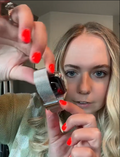
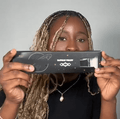
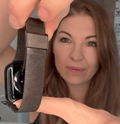
Here is how to change WHOOP 5.0 strap hardware in under a minute: open the clasp, press the sides of the Fast Link slider to lift it out of the sensor channel, unhook the band, then hook the new clasp into the sensor and press the slider in until it clicks.
People usually swap a WHOOP band because the old one needs cleaning, the fit has drifted, or they want a different strap for training versus everyday wear.
The release sits right beside the sensor, which is why the first attempt catches people out. When something feels stuck, the instinct is to pull harder. That is the one thing not to do. Forcing the mechanism can damage the slider or attachment hardware, so it pays to know where to press.

How Do You Change a WHOOP 5.0 Strap?
You swap a WHOOP 5.0 band in six steps: open the clasp, release the Fast Link slider, remove the old band, hook the replacement clasp into the sensor indentations, press the new slider into the channel until it clicks, then pull test both sides.
The Fast Link system means you do not need to thread the band through the sensor. Two attachment points secure the sensor: the Fast Link slider on one side and the metal clasp on the other.
1. Open the clasp. Take the tracker off and open the clasp fully.
2. Find the Fast Link slider. Turn the band over and locate the Fast Link slider seated in the sensor channel.
3. Press and lift. Press firmly on the sides of the Fast Link slider and lift it out of the sensor channel.
4. Unhook the other end. Release the clasp from the holes on the opposite side. Do not twist or pry.
5. Fit the replacement. Hook the clasp into the sensor indentations, align the new slider, and press until it clicks.
6. Test it. Give both ends a gentle pull. If nothing shifts, you are set.
Quick answer: Open the clasp, press the sides of the Fast Link slider, lift the old band off, hook the new clasp into the sensor, press the slider in until it clicks, then pull test before wearing.
Official reference: WHOOP's setup and band guide gives the manufacturer's instructions for Fast Link band changes on the 5.0 and MG.
What Should You Check Before Removing the Strap?
Before you start, make sure the replacement is built for your device generation, that you have a stable surface to work on, and that the hardware is undamaged.
An older band is not designed to seat correctly on the newer device, so pressing harder will not fix the mismatch. WHOOP's accessory guidance is clear that 5.0 and MG devices are not compatible with 4.0 bands. Work over a table. The sensor is small and it bounces.
Before fitting anything, confirm that:
● The Fast Link slider has no cracks, deformation, or other visible damage.
● The sensor channel is clear of lint, sand, and dried sweat.
● The new band has no torn stitching or loose hardware.
● The band faces the right way, inside surface toward the wrist.
Do you need to turn the device off first?
No. WHOOP's band changing instructions do not require you to shut down, reset, or change anything in the app. Take the device off your wrist first so you can handle the sensor safely with both hands.

How Do You Remove the Old Band?
The slider comes first. Unhook the clasp once the slider is out, and never pull the sensor out of a band that is still locked in.
Tug the fabric while the slider is still engaged and all that force goes into the attachment point. Put your thumb and finger on the two sides of the slider, press, and lift straight away from the sensor. It gives with one short, firm press.
What if the slider feels stuck?
Confirm the clasp is fully open, since that keeps tension on the assembly, then wipe sweat or grit from the channel. If it still will not move under light pressure, stop and contact WHOOP Support.
How Do You Attach the New Band?
Hook the clasp into the sensor indentations, align the Fast Link slider with the channel, and press until it clicks.
Fitting is the same sequence backwards. Start with the clasp side so the sensor is anchored, and keep the slider square to the channel. An angled one feels gritty and stops halfway.
How Do You Confirm the Band Is Secure?
The band is secure when both sides resist a gentle pull, the sensor sits flat, and no part of the slider stands above the channel.
Run this checklist every time before putting the tracker back on:
● Both attachment points are fully seated.
● The band does not slide out when pulled.
● The sensor sits flush, with no rocking.
● No edge of the Fast Link slider is raised.
● The clasp closes without extra force and the band feels snug without pinching.
The usual slip is getting the slider slightly angled so it stops short of the channel. It looks seated, then works loose an hour into the day. A gentle pull on both ends catches it before you wear it.

Which Straps Are Compatible With WHOOP 5.0?
If a band is labeled for the WHOOP 5.0, it fits. A 4.0 band will not, because the newer device uses a redesigned body and attachment system.
This is the mistake people make most often when ordering. WHOOP publishes a band and accessory compatibility overview confirming it. Check your generation in the app or on the back of the sensor first.
Are WHOOP 5.0 and MG straps compatible?
Many WHOOP bands are designed for both the WHOOP 5.0 and WHOOP MG, but compatibility depends on the specific band, so check the product listing before buying. If you use WHOOP MG, make sure the band and clasp support the features you need, including ECG where applicable.
Our WHOOP 5.0 bands guide covers materials and use cases, and our breakdown of whether WHOOP 4.0 bands fit the 5.0 explains the generation change. A spare band is handy in humid weather, since one can dry while another is worn.
Why Will the Band Not Come Off?
A band that will not release is caught on one of four things: a closed clasp, the wrong pressure point, debris in the channel, or damaged hardware.
Open the clasp completely, press the slider evenly across both sides, and clean lint or dried salt from the channel with a soft dry cloth. Confirm the band is actually made for the 5.0, since a mismatched part can wedge. If none of that frees it, stop and contact support.
How Should the Band Fit on Your Wrist?
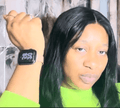
For wrist wear, position the band about an inch above the wrist bone and keep it snug without making it uncomfortable. WHOOP says that if a finger fits underneath, it is too loose.
The optical sensor needs consistent contact with your skin, so a loose fit can affect measurement quality. Going too tight brings its own trouble. Deep marks, tingling, or irritation are all signs to loosen it. Wrists swell in heat, so expect to adjust through the day. Starting out overtightened only moves the problem earlier.
Key Takeaways
What is the fastest way to swap a band? Press the sides of the Fast Link slider, lift the old band off, then hook and press the new one in until it clicks.
What should I check first? That the replacement is built for the 5.0, the channel is clean, and no hardware is cracked.
Do I need to power the device down? No. Nothing in the app changes when you swap hardware.
How do I know it is on properly? Both sides pass a gentle pull test and no part of the slider sits raised.
Will my old 4.0 bands work? No. WHOOP confirms 4.0 bands are not compatible with the newer device.
Frequently asked questions
How do I remove a WHOOP 5.0 band?
To remove a WHOOP 5.0 band, open the clasp, press the sides of the Fast Link slider, lift it out of the sensor channel, then unhook the opposite end. Do not force the slider if it does not release easily.
Can I change a WHOOP 5.0 strap without removing the sensor?
Yes. The band detaches through the Fast Link connection, so you can replace it without opening the device or changing any setting. Take the tracker off your wrist first, since handling it over a table is safer.
Can I use a WHOOP 5.0 band on WHOOP MG?
Many bands are designed for both devices, but compatibility depends on the specific band. Check the product listing before buying, and if you need MG features such as ECG, confirm that the band and clasp support them.
How do I know whether the new band is installed correctly?
The band is installed correctly when both attachment points are seated and it passes a gentle pull test. If it slides out or the sensor moves on its own, refit it rather than wearing it.
The Bottom Line
Now you know how to change WHOOP 5.0 strap hardware. Check compatibility before you buy, release the slider instead of pulling the band, and pull test both sides. Once the mechanism is familiar, the swap takes less than a minute.
If the first attempt was fiddly, that is normal, and the second one usually is not. Keeping a spare band around helps too, so there is always something clean and dry to switch to.